Multi-file Editing
multi-file editing
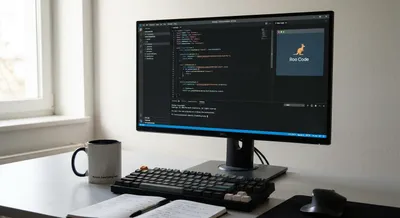
Roo Code: A Claude-Powered Dev Agent Inside VS Code
This article unpacks Roo Code’s capabilities – from editing multiple files at once to running your test suite in the terminal – and shows how it can...

Cursor IDE Agent: Repository-Scale Edits and Developer Reports
Cursor provides multiple modes of interaction. The most powerful is Composer (multi-file agent mode), which lets the AI read, create, and rewrite...
Multi-file Editing
Multi-file editing means changing more than one file at the same time in a codebase or a document collection. It lets you make coordinated updates—like renaming a function, updating imports, or changing a shared comment style—across all the places that use the same element. Tools that support this let you preview all changes before saving, so you can see how edits in different files interact and avoid surprises. This kind of editing is common in large projects where a single change needs to be applied consistently to many files to keep the code working. It often works together with version control systems, which track the edits and help you create a single, clear commit that describes the whole change. Good multi-file editing reduces repetitive work, lowers the chance of human error, and speeds up refactoring or sweeping updates. It can also introduce risk if a change is applied incorrectly in many places, so review and testing are important steps. Overall, multi-file editing matters because it helps teams maintain consistency and move faster without manually opening and editing dozens or hundreds of files.
Get New AI Coding Research & Podcast Episodes
Subscribe to receive new research updates and podcast episodes about AI coding tools, AI app builders, no-code tools, vibe coding, and building online products with AI.